Analyze recorded CCTV footage
in minutes, not days
Upload a video — get detected and tracked objects, measured speeds, traffic counts and license plates. Your footage never leaves your machine: analysis runs on-prem, CPU only.
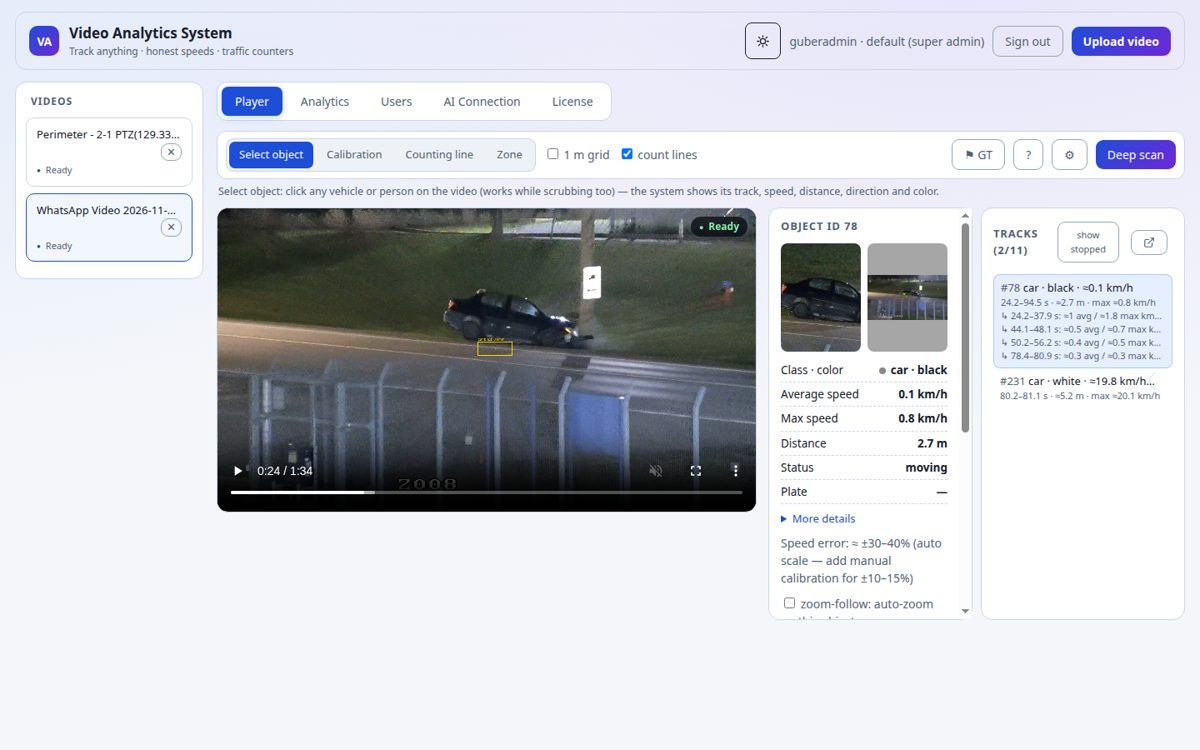
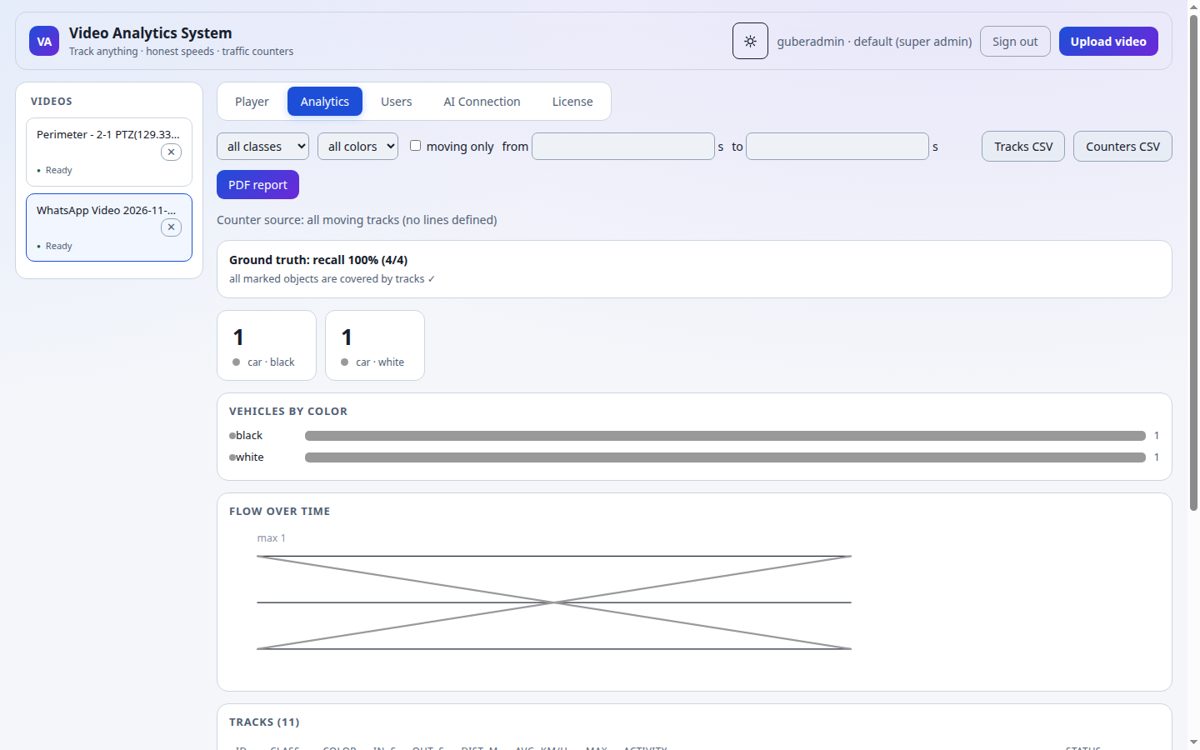
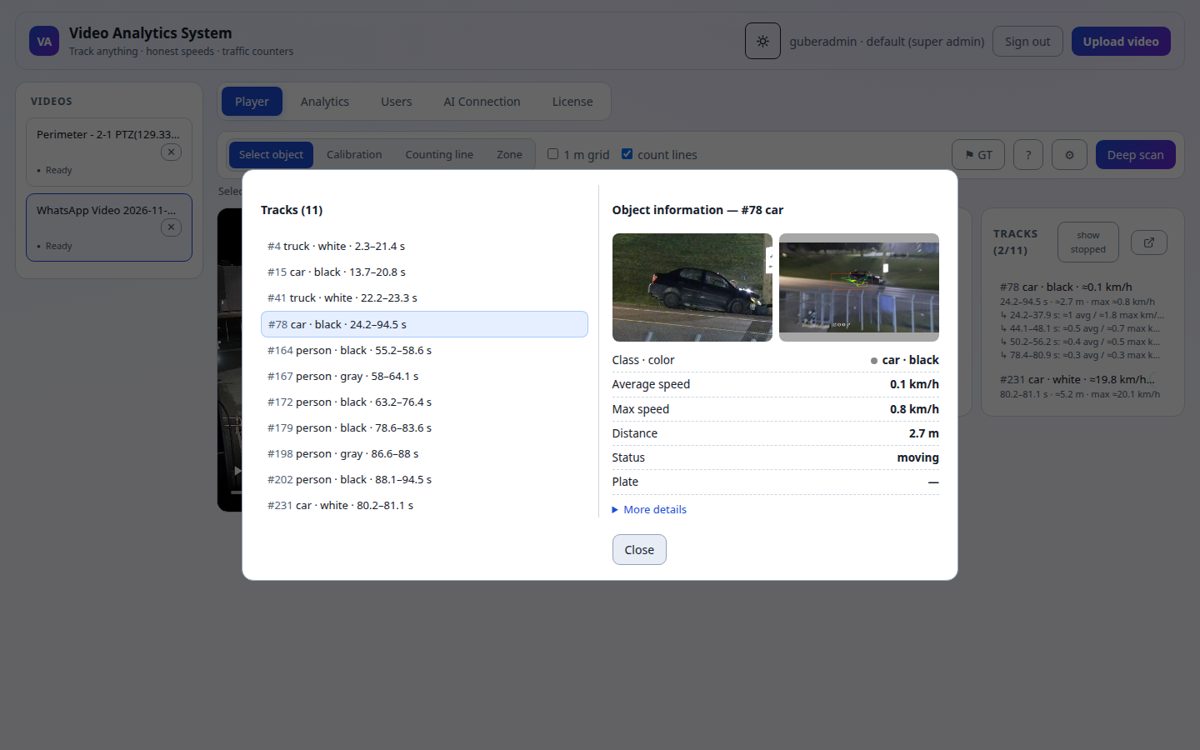
What you get
How it works
Pricing (CAD)
| Plan | What's included | Price |
|---|---|---|
| Starter | 60 minutes of footage per month · detection, tracking, counts, calibrated speeds | $69/mo |
| Pro | 300 minutes per month · + ALPR, click-to-track (SAM), deep scan, accuracy reports | $199/mo |
| Business | 1,200 minutes per month · + API access, multiple teams, priority queue | $549/mo |
| Pay-as-you-go | One clip up to 5 minutes · core analysis; ALPR ×2 | $6–22/clip |
| Pilot | First customers: Pro features for 6 months | $99/mo |
Prices before HST/GST. On-prem deployment (your network, your storage) is available for teams — ask below.
Privacy by design
Questions we hear first
Does my footage leave my machine?
No. Uploads go to your own VAS server and analysis runs there — nothing is sent to a third-party cloud.
What formats can I upload?
MP4, AVI and MKV clips (H.264 / H.265). Live RTSP streams are on the roadmap — file-based analysis is the product today.
Do I need a GPU?
No. Detection, tracking, counting and ALPR run on CPU; an ordinary office server or workstation is enough.
How accurate are the speeds?
Speeds come from a camera calibration you confirm on screen. Without it, the app says so instead of inventing numbers. A ground-truth audit loop lets you measure recall on your own footage.
How is it licensed?
One offline license key per installation — signed, validated locally, no cloud account and no per-seat fees.
Contact us
Questions, a pilot for your footage, or on-prem deployment — write here and we'll get back to you.